

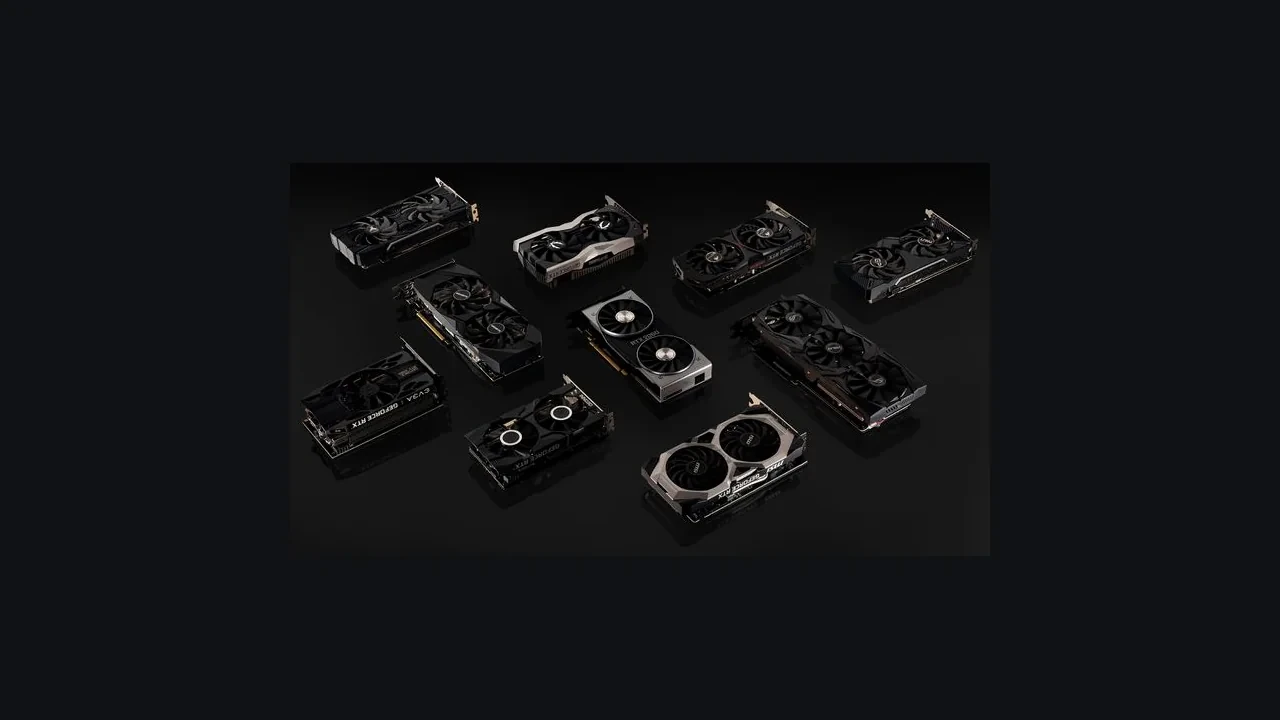
GeForce RTX 2060 DLSS 5 compatibility on desktop in 2026
NVIDIA has not announced DLSS 5 launch support for the desktop GeForce RTX 2060. Future support is unknown because no public compatibility matrix includes the RTX 20 series in the new branch. The current official path is DLSS 4.5 Super Resolution and Ray Reconstruction.
The RTX 2060 launched in January 2019, yet it still appears in studio hardware surveys seven years later. Any 2026 build targeting this Turing card should therefore treat DLSS 5 as unavailable until NVIDIA publishes a verified update, while preserving the supported DLSS 4.5 fallback.
Read the launch status narrowly
The GeForce RTX 2060 is not listed for DLSS 5 at launch, and a shipping build must respect that. NVIDIA has not said the feature is permanently blocked on Turing, however, so the absence is not proof of a future rejection or approval.
Developers should target DLSS 4.5 Super Resolution and Ray Reconstruction, the latest published RTX 20 feature set. Any menu option labeled DLSS 5 on this GPU is unofficial because the driver and SDK contracts do not cover it.
Players should not expect such a toggle to work unless the developer provides a custom fallback using older neural networks. Even then, different network weights, feature flags, and Tensor Core instructions mean it will not match DLSS 5 on supported hardware.
Minimum and recommended specifications should name the supported branch and explain the fallback in patch notes. Advertising DLSS 5 while silently using DLSS 4.5 on the RTX 2060 invites support tickets and negative user reviews.
The RTX 2060 hardware boundary
The RTX 20 series brought hardware-accelerated ray tracing and dedicated Tensor Cores to consumer GeForce cards. Its RTX 2060 launched in January 2019 with 6 GB of GDDR6, 1920 CUDA cores, and an early Tensor Core design revised several times in later architectures. For compatibility work, generation, VRAM, SM count, and the current driver contract matter most.
As the oldest supported RTX family, the RTX 20 series requires NVIDIA to retain older driver branches and SDK calls for new games. New neural features can still depend on instruction extensions and Tensor Core layouts that Turing does not expose in the same form. The Wikipedia article on the RTX 20 series summarizes the launch, SM count, and architecture tier, which helps explain why a feature working on a 40-series card cannot be assumed to work on a 20-series card in the same project.
That generation gap affects the Tensor Core instructions available to the SDK, the 6 GB memory budget shared by neural upscaling and the rest of the frame, and the driver flags that gate compiled runtime paths. Predictable RTX 2060 behavior requires planning around all three.
DLSS 4.5 is the official path
NVIDIA’s Game Ready driver and public SDK expose DLSS 4.5 Super Resolution and Ray Reconstruction to the RTX 20 series. Super Resolution reconstructs a higher-resolution output from a lower internal render. Ray Reconstruction replaces several handwritten ray-tracing denoisers with one trained neural network.
The RTX 2060 can run this branch through the neural-network interface its Tensor Cores were built to accelerate. NVIDIA has revised the feature over several years to keep image quality and stability within the card’s compute and memory budget. A shipping DLSS 4.5 toggle is therefore reliable when the bundled SDK still lists Turing support.
Branches beyond 4.5 can introduce new network architectures, training data, and features such as multi-frame generation. Older Tensor Cores may lack required instructions, and the SDK can refuse to instantiate a model on an unlisted generation. Production code should assume no DLSS 5 support on the RTX 2060 until NVIDIA explicitly adds the RTX 20 series, regardless of third-party integration claims.
A community patch may try to load a newer network, but that attempt is unofficial, unsupported, and unvalidated by NVIDIA. A studio cannot guarantee its image quality or performance.
Memory, driver, and operating-system requirements
The RTX 2060 meets NVIDIA’s basic DLSS requirements with dedicated Tensor Cores, enough VRAM for network weights and framebuffers, and a driver exposing the runtime. Its DLSS 4.5 path has also been validated across many shipping games.
VRAM is the usual limit. Super Resolution and Ray Reconstruction share 6 GB with render targets, geometry buffers, and scene textures. Moderate settings at 1080p leave workable room. At 1440p with high settings, Quality or Balanced mode becomes the comfortable choice. At 4K, the network and framebuffers compete for memory, degrading the experience without necessarily producing a clean error.
DLSS support is split between the Game Ready driver and the SDK linked by the game. The SDK provides network versions, feature flags, and runtime negotiation. Developers need a release that still supports Turing, and players need a driver validated against it. Track NVIDIA’s SDK release notes and bundle the version used for certification instead of assuming any installed combination will work.
The operating system can also cut off driver access. An RTX 2060 on a Windows version removed from the support matrix will eventually stop receiving newer Game Ready releases. Studios supporting Win 10 in 2026 should publish the exact tested build range so OS regressions are not misdiagnosed as GPU failures.
Test the DLSS 4.5 path on real RTX 2060 hardware
QA needs to confirm both that DLSS 4.5 matches the expected behavior on a newer reference GPU and that the project never requests an unsupported branch. Testing only the newer card can leave the RTX 2060 path broken at release.
- Pin a known-good DLSS SDK and record its version in telemetry and the bug template so QA can trace regressions by build.
- Use NVIDIA’s capture tools to record the same 30-second camera path in native, Performance, Balanced, and Quality modes.
- Measure frame time with a wall-clock source, since memory-allocation hitches on this card may not appear on a 40-series reference.
- Read the full VRAM working set in the engine’s developer overlay rather than relying on one peak value. DLSS adds a second pipeline sensitive to fragmentation.
- Run the same scene on the target driver and the previous project driver to cover the supported range.
- Repeat with ray tracing enabled and disabled because Ray Reconstruction changes the denoiser path and fails differently from pure upscaling.
- When the project supports Frame Generation, cap the target frame rate to display refresh during capture and measure input latency separately.
Log every failure with the driver version, scene, and DLSS mode. That record separates a documented card-specific issue from a regression that must be fixed before release. A report that only says “DLSS feels slow on RTX 2060” is not actionable without the build, driver, SDK, and scene.
Plan around a seven-year-old minimum-spec card
In 2026, the RTX 2060 can still run most modern games at 1080p with DLSS 4.5 Quality or Balanced when maximum frame rate is not the goal. It does not have room for the new neural features shipping with DLSS 5, so production targets should reflect that ceiling.
Ship DLSS 4.5 for this card, make no DLSS 5 promise, and document a fallback for SDK branches it cannot run cleanly. Higher-tier neural paths should sit behind generation detection at boot so RTX 2060 users never see a dead toggle. Feed the same detection into analytics to measure the active installed base and its DLSS 4.5 behavior.
The expensive mistake is a marketing promise followed by a silent DLSS 4.5 fallback and post-launch correction. Keep the specification sheet, game UI, and supported branch list in one document reviewed by engineering, QA, and marketing before gold master.
| Feature branch | Official status on GeForce RTX 2060 | Production recommendation |
|---|---|---|
| DLSS Super Resolution (4.5 branch) | Officially supported | Ship as the default neural upscaling path |
| DLSS Ray Reconstruction (4.5 branch) | Officially supported | Enable when ray tracing is active |
| Frame Generation (4.5 branch) | Officially supported on this family | Cap target frame rate to the display refresh |
| DLSS 5 | No official launch support announced | Do not expose in the UI, do not enable by default |
| Newer branches beyond 4.5 | Compatibility not confirmed | Gate behind an opt-in flag, log the path |
Runtime limits at 1080p, 1440p, and 4K
The RTX 2060 has enough compute for DLSS 4.5 Super Resolution and Ray Reconstruction at acceptable 1080p and 1440p frame rates if the project does not stack every expensive setting. At 4K, the neural network and render targets share only 6 GB, so heavy scenes can exceed available VRAM.
The card will attempt any DLSS mode exposed by the menu even when the memory working set is unhealthy. Running out of its 6 GB often appears as stutter rather than a clean error, which QA may misclassify as frame pacing. Defensive menus and explicit log lines make the cause easier to triage.
Frame Generation belongs to the DLSS 4.5 family and is supported on the RTX 2060, but its second pipeline affects input lag and leaves less room for a weak implementation. Cap the target rate to panel refresh, expose a separate latency slider, and explain the setting in the in-game help.
| Resolution target | Recommended DLSS mode | Memory pressure | Expected behavior |
|---|---|---|---|
| 1080p | Quality or Balanced | Low | Stable, predictable frame time |
| 1440p | Balanced or Performance | Moderate | Stable, watch for occasional hitches |
| 4K | Performance only | High | Functional but fragile under heavy scenes |
| Frame Generation on top | Match to display refresh | Adds a second pipeline | Cap target to the panel, validate latency budget |
Detect the card by hardware data, not its name
Standard graphics APIs report the RTX 2060 device ID, SM count, and VRAM. Use those values instead of matching the product name, which can vary by driver revision and locale.
Read SM count and VRAM at boot to drive feature gates, then use the device ID to separate the standard GeForce RTX 2060 from the GeForce RTX 2060 SUPER, GeForce RTX 2060 12 GB, and laptop variants. Those cards have different memory budgets and thermal limits despite similar names. Send the same detection data to telemetry so the studio can measure the remaining user base and DLSS 4.5 performance before deciding whether to support another cycle.
The card still receives Game Ready drivers in 2026, though more slowly than newer models. A card-specific regression may remain for several weeks. Keep an internal driver matrix with the last known-good DLSS 4.5 release and be ready to recommend a rollback.
Use the RTX 2060 as the RTX 20 test floor
Studios often group the card with the GeForce RTX 2060 SUPER, GeForce RTX 2070, and sometimes GeForce RTX 2060 laptop variants. Map that support matrix by VRAM tier as well as SKU because 6 GB, 8 GB, and 12 GB cards behave differently with DLSS 4.5 at 1440p. Memory tiers make the failure modes easier to compare.
The standard RTX 2060 sets the RTX 20 floor. A DLSS 4.5 build that runs correctly there will usually have headroom on the rest of the family. If it fails, the studio must either repair the baseline or drop the older card. Revenue model and long-tail usage determine that choice, but the test starts with the RTX 2060.
RTX 2060 compatibility claims to reject
These forum, support, and planning claims do not match the current official position.
- “DLSS 5 is just DLSS 4.5 with a new name.” New branches bring different network architectures, training data, and SDK contracts. Without a custom fallback, an RTX 2060 option carrying that label will not behave like DLSS 5 on a GeForce RTX 4x card.
- “A driver update can unlock DLSS 5 on the RTX 2060.” Drivers can change the runtime, but NVIDIA has not published hardware compatibility or a confirmed driver path for this card.
- “Frame Generation is the same as DLSS 5.” Frame Generation is part of DLSS 4.5 and is supported on the RTX 2060. DLSS 5 is a separate branch.
- “A DLSS 5 toggle works on every RTX card.” GPU generation gates the official path. Exposing it without a hardware check makes an unsupported promise.
A feature can exist in the build without running on a particular card. Gate each neural path by hardware generation and log the branch used at runtime.
If NVIDIA adds RTX 20 support later
An updated compatibility list would require a newer pinned SDK, a new selectable menu branch, and another scene and driver sweep in QA. The studio would still need to decide whether the gain on a seven-year-old card justifies a full validation cycle.
Until that happens, keep the RTX 2060 on DLSS 4.5 and make the menu, spec sheet, and patch notes agree. Detection, feature-gate, and telemetry code can be prepared now so a confirmed update only requires enabling the branch and rerunning QA.
Recommended 2026 configuration
For shipping builds, lock the DLSS SDK, gate DLSS 5 by hardware generation, and default the RTX 2060 to DLSS 4.5. Players should use Super Resolution and Ray Reconstruction, choose Quality or Balanced at 1080p, and avoid stacking every expensive option. The supported branch remains the sensible target for this older card.
RTX 2060 DLSS questions
Does the GeForce RTX 2060 support DLSS 5?
No. NVIDIA has not announced launch support or published a compatibility list that includes the RTX 20 series. Later support remains unconfirmed.
What is the latest official DLSS branch the GeForce RTX 2060 can use?
DLSS 4.5 Super Resolution and Ray Reconstruction are the latest official options. Projects targeting the card should ship with that path enabled.
Will DLSS 5 ever come to the GeForce RTX 2060?
It is unknown. NVIDIA has made no public commitment, and newer neural branches have historically depended on hardware features absent from older Tensor Cores.
Can a game force DLSS 5 on a GeForce RTX 2060 with a mod or custom patch?
A community patch can attempt to instantiate the network, but the result is unofficial and will not match the supported experience on newer hardware. Keep DLSS 4.5 active and gate DLSS 5 by hardware detection.
Is the GeForce RTX 2060 still a supported GPU in 2026?
Yes. It continues to receive Game Ready drivers, though its age limits it to the newest DLSS branch supported across the RTX 20 family rather than the latest branch overall.
Should I upgrade from a GeForce RTX 2060 to run DLSS 5?
Not for the existing 1080p DLSS 4.5 experience, which remains usable in many modern games. Access to DLSS 5 requires a GPU from NVIDIA’s supported families, and the RTX 20 series is not currently listed.
Will DLSS 5 be added through a driver update on the GeForce RTX 2060?
No confirmed driver path exists. Drivers can change the runtime and supported branches, but NVIDIA has not published hardware compatibility for the RTX 2060.
Does DLSS 4.5 on the GeForce RTX 2060 affect ray tracing performance?
Ray Reconstruction replaces several handwritten ray-tracing denoisers with one neural network. On the RTX 2060, it can lower the ray-tracing cost while preserving image quality, especially when the scene denoiser would otherwise dominate the frame.
Is Frame Generation available on the GeForce RTX 2060 with DLSS 4.5?
Yes. It is part of DLSS 4.5 and inserts an interpolated frame between two rendered frames. Cap the target rate to display refresh to keep latency predictable.
What should a developer do if a player reports DLSS 5 working on a GeForce RTX 2060?
Request the build number, driver, SDK version, scene, and a recording. A custom integration bypassing the supported path is the most likely explanation. Record the report, but do not change production support from one user’s result.

Leave a Reply